Labster is an online platform. It has virtual science laboratories that efficiently teach students STEM subjects. This new platform consists of more than 300 interactive simulations. Subjects include biology, chemistry, physics, and others.
It assists higher education students in performing virtual experimentation. Students can master complex scientific concepts and accomplish assessment tasks. All takes place in an immersive 3D environment.
It has amazing built-in features. Using them, students find out the correct Labster answers while solving complex problems. It is currently serving over 2,000 educational institutions worldwide. In this article, we will discuss everything, from the platform to getting answers.
We will also offer a detailed Labster Safety simulation walkthrough. Let’s begin.

Key Takeaways
- Over 300 interactive 3D STEM simulations are currently accessible. 2,000 global educational institutions use Labster.
- Find answers and conceptual guidance, using the “Theory Tab” and “Lab Pad” features.
- “Quiz Review System” lets you compare submissions against the correct answers after finishing a mission.
- Recent features include an iPad-compatible app and VR headset support. Also, an AI teaching assistant called “Dr. One” is available.
- Adoption of this platform has led to a reduction in failure rates. It improved average grades through immersive, gamified scientific challenges.
- Full simulations take 45–50 minutes. These are unskippable and require a stable internet connection.
- Professional tutors can offer essential support to get instant solutions!
Understanding the Amazing Labster Virtual Labs: What Is It and Why Is It Important?
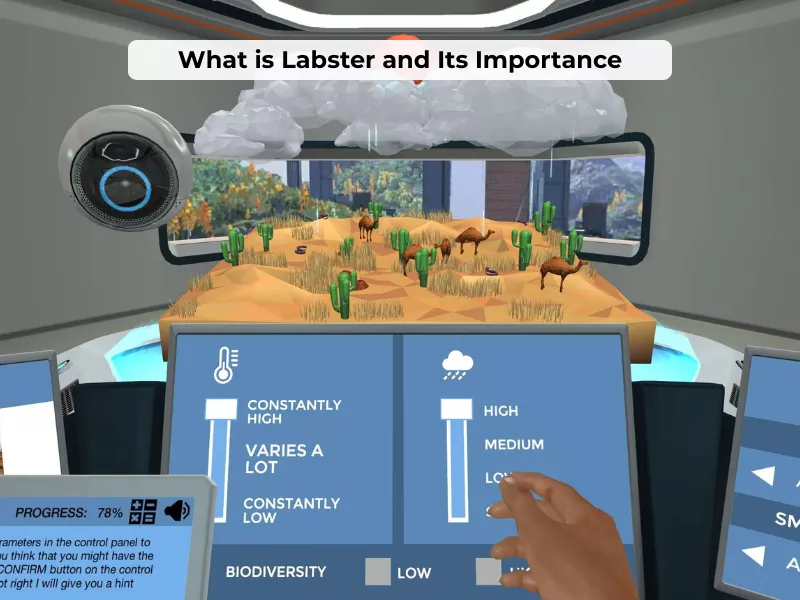
Labster virtual lab simulations help students handle real scientific challenges. They use interactive, gamified learning to build a strong understanding. Unlike traditional methods, the platform adapts lessons to each student’s learning needs. Students can run real experiments through virtual environments. They can also explore abstract ideas and complex theories without entering a physical laboratory.
Nursing students often value Labster physiology and anatomy simulations. These tools explain human body systems clearly and safely in a completely risk-free setting. The next generation of Labster simulations goes even deeper. They visualize scientific processes at the molecular level. For example, students solving Labster Genetics answers apply core knowledge and use virtual lab equipment to solve complex molecular challenges like
- DNA and gene sequencing
- Cancer treatment responses
- Complex chemical responses
Plus, it offers immediate feedback through embedded quiz questions. The gamified 3D virtual learning environment feels highly immersive. The platform blends learning with strong visual storytelling. A built-in scoring system keeps students engaged throughout activities.
Some students need help managing heavy academic workloads. Labster assignments often add pressure alongside other coursework. Professional services like Pay Someone To Take My Online Class offer support. These services help students learn effectively while saving time. They also help students balance coursework without sacrificing understanding.
New Updated Features
Students need to know about Labster’s new features to make the most out of it:
- iPad App Availability: You can access Labster virtual lab simulations on iPads. Supports 5th Gen and newer.
- VR Capabilities: Virtual reality headset support creates fully immersive, real-time laboratory environments.
- Exploration Mode: New anatomy simulations feature self-paced exploration. Students can manipulate 3D models independently.
- Screen Reader Support: Over 300 simulations now include built-in accessibility features. These are useful for students with learning differences.
Students not only deliver answers to Labster quiz question challenges. But the platform also fosters genuine understanding. Also, seeking additional academic writing support? Then, exploring resources on How to Write A Lab Report can complement the Labster experience.
Where Can I Find Labster Answers?
Many students wonder how to ace their Labster assignments with correct Labster Acids and Bases answers. But note that, just like the Edmentum answer key, there is no Labster answer key that one can access directly. However, the Labster platform comes with built-in tools to make learning online easy.
Using the Theory Tab Effectively for Labster Assignments
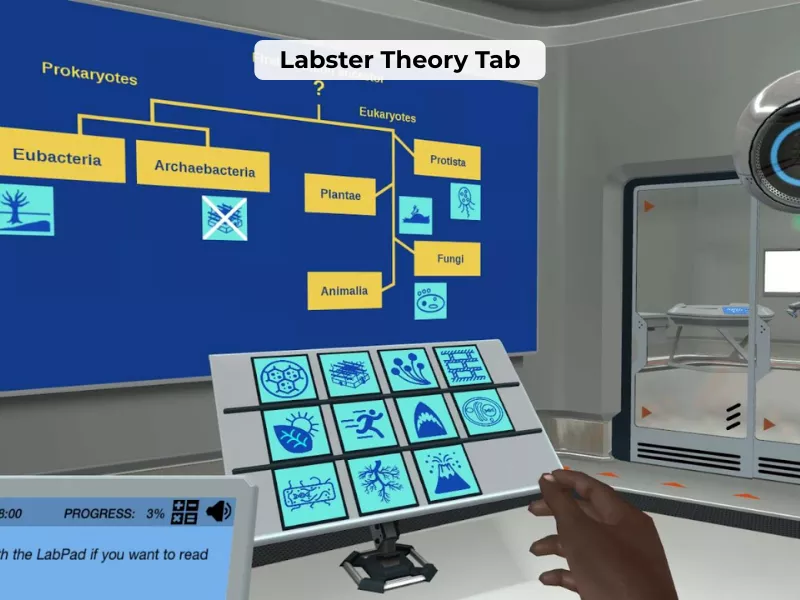
The main learning tool in each of the simulations is the Theory Tab. This feature is found by clicking the menu button on the left side of the interface, and it provides:
- Detailed descriptions of scientific theories that apply to your present simulation.
- Breakdown of complex processes in the form of visual diagrams and animations.
- Contextual information that links the theory with the presented practical task.
- Quick reference materials you can review at any point during the simulation
Pro Tip: Review the Theory Tab before attempting quiz questions. This proactive approach ensures you’re learning the material rather than simply guessing answers or wondering How To Hack Canvas Quiz or Labster solutions.
Using Lab Pad as a Course Guide
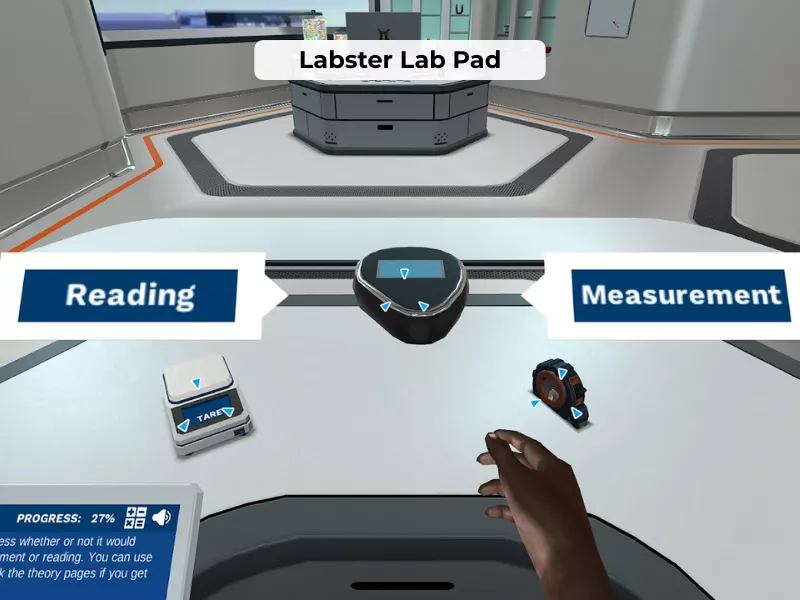
The mission table in the “LabPad” serves as your virtual instructor, providing:
- Detailed procedures for every experiment stage.
- When you do it right and wrong, you get an immediate response.
- Clues and hints in case you are confused on a specific step.
- Tracking of progress to know your current stage of the simulation.
To get to the Lab Pad, you need to select an icon that is usually found at the bottom of your screen. In case you are at a loss, the Lab Pad has a “Continue” button. It usually displays further information or advances you after reading the prerequisite information. Is Labster integrated with your Schoology courses? Then, know whether can Schoology detect cheating to avoid considering such ideas.
Additional In-Platform Resources
- Labster Tutorial Videos: Introductory videos are common in many simulations. They show a correct technique and describe a scientific background. They can be accessed directly in the simulation interface.
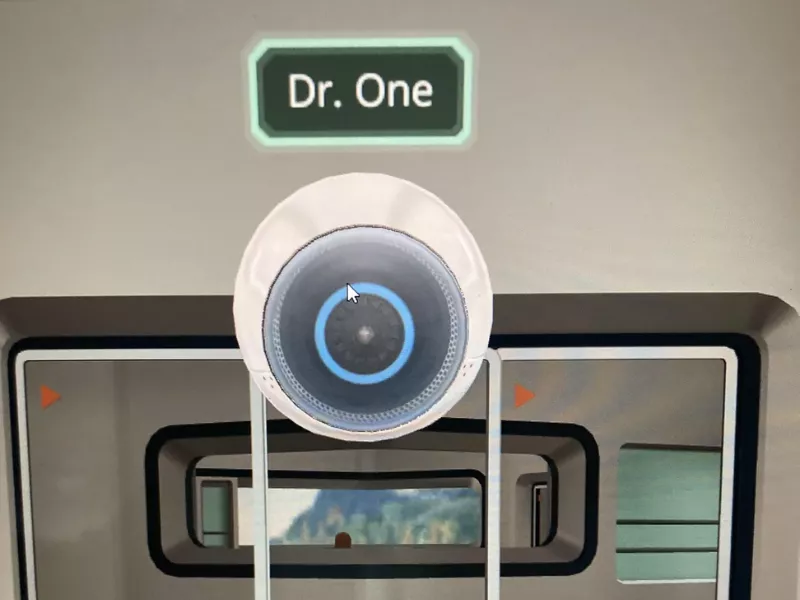
- Virtual Lab Assistant: You can also get help from an AI assistant (Dr. One). It answers questions and provides guidance throughout your experiment. You will enjoy a technology-driven learning experience like having a live teaching assistant.
Get Help Services from Experts
Saving the best for the last! You can seek direct Labster solutions and Edulastic Answers from professional experts. Facing complex technical issues or a heavy workload? Academic support platforms are the way to go! These services provide walkthroughs for completing Labster simulations. They help students navigate their coursework and exams. By leveraging external expertise, learners manage their study time much more effectively now.
Want to maximize your learning outcomes and ace your virtual lab assignments? Here’s a comprehensive Labster Study Guide PDF.
How to Find Answers within Labster?
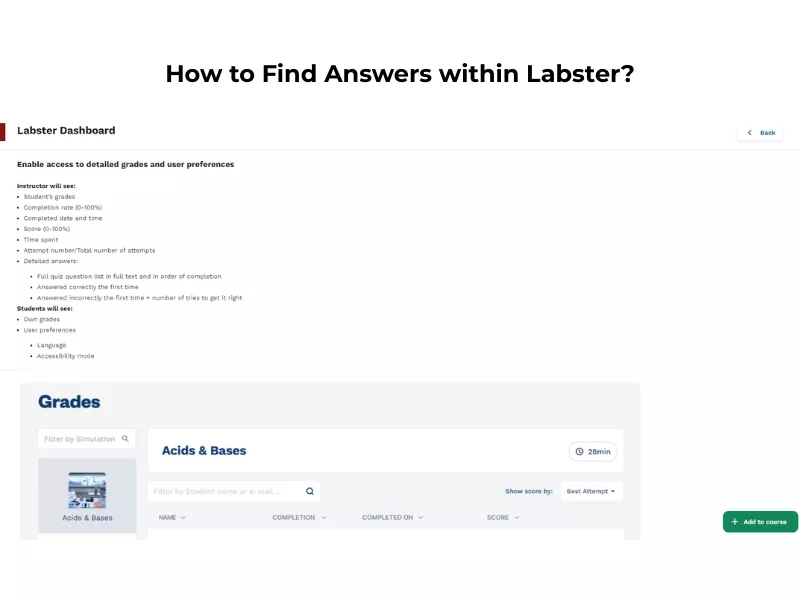
- Access Your Dashboard: Log into your school’s LMS (Canvas, Blackboard, etc.). Or, go directly to your Labster dashboard.
- Navigate to the Grades/Attempts Section: Select the specific coursework module. Or, click the menu button on the left to find the “My Progress” or “Reports” tab.
- Analyze Question-by-Question Feedback: Click on individual quiz points to view immediate feedback. This lets you compare your responses against the correct Labster simulation answers. Also, read the accompanying theory to understand the scientific “why” behind each result.
Looking to get answers for technical issues or general questions? search the Labster Help Center. You can also reach out to the support team via the chat box in the bottom right corner of the Help Center.
Benefits of Labster Virtual Lab Simulation
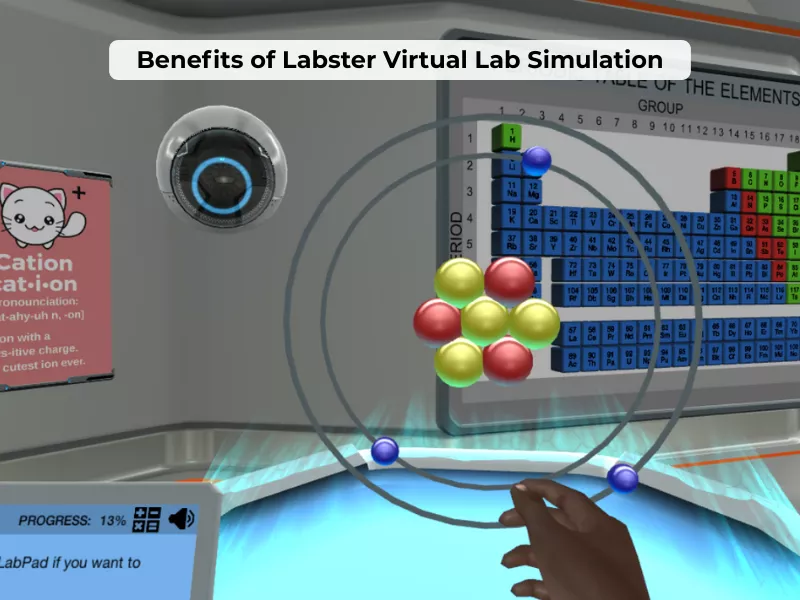
The benefits of the Labster virtual lab learning platform are:
- Improved Learning: Labster improves learning outcomes by enhancing conceptual understanding. Research shows measurable grade improvements. DFW rates decreased by 34%, and average grades rose from C- to B at many institutions.
- Enhance Peer Engagement: Immersive 3D simulations and storytelling approaches make science enjoyable. Around 74–82% of students remain highly engaged and productive. They keep repeating labs and scoring 92–100% on quizzes.
- Tailored Instructions To Various Needs: Students may learn at their own pace. They can repeat difficult material and get help. This helps underperforming students to keep pace.
- Tracking: The dashboard will show real-time performance. It tracks progress, quiz attempts, time spent, and grades. Thus, instructors keep a track of the performance.
- Encourage Students to Think Scientifically: Inquiry-based situations help students think critically. Students solve problems and apply scientific concepts.
- Features Learning Modules: Integrated modules and LMS compatibility ease the teaching. It also simplifies assignments and grading of learning modules. It maintains high standards of education.
How to Use Labster for Collaborative Learning?
Labster is believed to be hard to use by many students. The program contains complicated simulations of science. However, it is extremely simple to get started with Labster. All one needs is an internet connection and a compatible browser (Chrome, Edge, or Firefox). The following are some of the steps. Follow them to implement the Labster simulator in your course:
- The very first step is to open your new assignment.
- You can select the simulation type using an external tool.
- Click on the “Find” option, don’t enter any links.
- Select Labster to open the new pop-up window.
- Search, and now you can add simulations to your homework assignments.
Simulation Directory: Top 10 Most Popular Labster Virtual Lab Simulations
Here are the most widely used Labster simulations. These are based on institutional adoption rates and student engagement metrics. Get key concepts and quick reference tips:
1. Gram Stain: How Stains and Counterstains Work
Duration: 13 minutes
Discipline: Microbiology
Key Concepts:
- Differences between gram-positive and gram-negative bacteria
- Crystal violet and safranin staining mechanism
- Peptidoglycan layer thickness in bacterial cell walls
- Microscope use for cell identification
Hint: Remember that gram-positive bacteria retain the purple crystal violet stain. It is due to thick peptidoglycan layers. In contrast, gram-negative bacteria appear pink/red after the safranin counterstain.
2. Cellular Respiration: Electron Transport Chain
Duration: 20-25 minutes
Discipline: Biology/Biochemistry
Key Concepts:
- ATP synthesis through chemiosmosis
- Role of NADH and FADH₂ in energy transfer
- Proton gradient formation across the mitochondrial membrane
- Cytochrome complexes and their functions
Hint: The electron transport chain occurs in the inner mitochondrial membrane. It produces approximately 32-34 ATP molecules per glucose molecule through oxidative phosphorylation.
3. Pasteurization and Sterilization
Duration: 30-35 minutes
Discipline: Food Science/Microbiology
Key Concepts:
- HTST (High-Temperature Short-Time) treatment parameters
- Difference between pasteurization and sterilization
- Bacterial colony growth and temperature effects
- pH measurement and aerobic plate counting
Hint: Pasteurization reduces pathogens. However, it doesn’t eliminate all microorganisms; sterilization kills all microbial life. HTST typically uses 72°C for 15 seconds.
4. Introduction to the Central Nervous System
Duration: 25-30 minutes
Discipline: Anatomy & Physiology
Key Concepts:
- Brain structure identification (cerebrum, cerebellum, brainstem)
- Spinal cord anatomy and functions
- Neural pathway understanding
- Brain region specialization (motor, sensory, cognitive areas)
Hint: Use the Exploration Mode to rotate and examine 3D brain models from multiple angles. This visual approach helps with spatial understanding better than 2D diagrams.
5. DNA Extraction and Gel Electrophoresis
Duration: 40-45 minutes
Discipline: Genetics/Molecular Biology
Key Concepts:
- DNA isolation techniques from cells
- Restriction enzyme cutting patterns
- Gel electrophoresis principles (DNA migration based on size)
- DNA band visualization and analysis
Hint: Smaller DNA fragments migrate farther through the gel. Remember that DNA is negatively charged and moves toward the positive electrode.
6. Acids and Bases: Introduction to pH
Duration: 20-25 minutes
Discipline: Chemistry
Key Concepts:
- pH scale (0-14) and its logarithmic nature
- Strong vs. weak acids and bases
- Buffer systems and their importance
- pH indicator use and color changes
Hint: For Labster Acids and Bases answers, remember: pH below 7 = acidic, pH 7 = neutral, pH above 7 = basic. Each pH unit represents a 10-fold change in hydrogen ion concentration.
7. Introduction to Immunology: Organs and Cells
Duration: 35-40 minutes
Discipline: Immunology/Nursing
Key Concepts:
- Primary and secondary lymphoid organs
- Innate vs. adaptive immunity
- T cell and B cell differentiation
- Antigen recognition and immune response
Hint: Bone marrow and thymus are primary lymphoid organs (where immune cells develop). Lymph nodes and the spleen are secondary organs (where immune responses occur).
8. Titration: Neutralization Reaction
Duration: 25-30 minutes
Discipline: Analytical Chemistry
Key Concepts:
- Acid-base neutralization equations
- Equivalence point determination
- Indicator selection and color change recognition
- Molarity calculations and stoichiometry
Hint: At the equivalence point, moles of acid = moles of base. Phenolphthalein turns pink in basic solutions. So, it is ideal for strong acid-strong base titrations.
9. Microscopy: Explore the Microscope
Duration: 15-20 minutes
Discipline: General Biology
Key Concepts:
- Light microscope components and functions
- Magnification calculation (objective × eyepiece)
- Focusing techniques (coarse vs. fine adjustment)
- Specimen preparation and slide mounting
Hint: Always start with the lowest magnification objective to locate your specimen. Then switch to higher magnifications for detailed observation. Total magnification with 40× objective and 10× eyepiece = 400×.
10. Introduction to the Male/Female Reproductive System
Duration: 30-35 minutes
Discipline: Anatomy & Physiology
Key Concepts:
- Reproductive organ identification and functions
- Hormone regulation (testosterone, estrogen, progesterone)
- Gametogenesis processes (spermatogenesis and oogenesis)
- Reproductive tract anatomy using 3D models
Hint: Use Exploration Mode to virtually “dissect” the 3D models. Use Exploration Mode to almost “dissect” the 3D models. This interactive approach helps memorize organ positions. You understand the organ relationships more effectively than static diagrams.
How Do I Get Help for My Labster Portal?
Some students cannot cope with some features of the Labster platform. Some Struggle to deal with the specifically tricky simulations. Others are working part-time or have family obligations. Some are taking up more than one demanding course at a time.
Professional experts can also assist you with help on Labster assignments. They may help to interpret complicated concepts. They help you to work out study plans and learn the scientific principles. These services hire skilled specialists who are able to assist with:
- Labster pipetting answers
- Labster atomic structure answers
- Labster microscopy answers
- Microscopy Labster answers
- Labster quiz answers
- Labster chemistry answers
- Labster biology answers, and more.
In short, professional experts on these platforms support Labster users fully. They guide learners through every relevant aspect clearly. Quality academic services focus on teaching problem-solving skills. They do not simply provide ready-made answers. This approach helps students build strong critical thinking abilities. These skills support long-term success within their chosen discipline.
The Final Words
Labster is a new virtual lab learning application. It provides interactive, practical learning for science students. Students can perform experiments across many science subjects. They also test theories using interactive simulations safely. It works on any gadget without extra extensions. The virtual world enhances study time and learning. Inbuilt features include the Theory Tab and Lab Pad. These tools support learners during simulations effectively and clearly. Third-party services may offer additional support when required.
Frequently Asked Questions
Is Labster Easy?
Many students wonder if Labster requires special browser-level controls or complicated setup procedures. The positive news: it is an easy to use site that is created with simplicity and access in mind. No extra software installations or any type of plugins are required to fully enjoy the Labster virtual labs simulations.
The science simulation experience on Labster feels simple. It closely resembles watching lessons on standard video platforms. You only need a stable internet connection. Around 500 kbps usually works well.
How Long Do Labster Labs Take?
The labster’s virtual simulation length ranges between 45 and 50 minutes. It is for full simulations. Short “focus simulations” run 5-25 minutes and target specific concepts. Duration varies based on simulation complexity. These cover multiple processes and theories essential for student learning.
How Do You Skip Missions in Labster?
Labster doesn’t allow you to skip any mission during the simulation. If you get stuck in a particular step, go to the Lab Pad and carefully go through the instructions. You must provide the answer or press the “Continue” button to proceed.
How Do I Speed Up My Labster?
To speed up running the virtual science labs, clear the cache and cookies. Also, update your operating system and web browser. If problems persist, try a different browser (Mozilla Firefox) to open Labster.
Which Universities Use Labster?
More than 2,000 universities and high schools worldwide use Labster. These include
- Harvard
- California State University
- MIT, Exeter University
- Gwinnett Technical College
- University of New Haven
- Stanford, Trinity College
- University of New England
- University of Hong Kong
- Berkeley, and many others.
Can You Use Labster for Free?
Eligible educators can register on Labster for a 30-day free trial. During the trial period, they can add students, create online courses, and track students’ progress.
How Long Does a Labster Take to Load?
Labster’s loading time depends on your Internet speed and the device you are using. Generally, the application takes 5 to 7 minutes to load. Before starting Labster, close all other programs on your desktop or laptop.
Can I Use Labster on My iPhone?
Labster simulations don’t support iPhones or other mobile phones. However, you can use iPads (5th Gen, iPad Mini 4, iPad Air 2, iPad Pro, and newer models) for Labster. To do so, download the Labster app from the Apple App Store.
How Much Does Labster Cost?
Labster single-user account price starts from $109.00. And for group access, every student must pay at least $79.00.
How many simulations does Labster have?
Labster offers more than 300 science simulations in its interactive virtual learning environment.

Want To See My Profile — Check Now
- Labster Answers & Simulation Study Guide (Updated 2026) - January 31, 2026
- Edulastic Answers (Pear Assessment Answers) & Hacks: 2026 Guide - January 15, 2026
- How to Get Chegg for Free: 7 Ways to Get Chegg Answers - December 17, 2025

 ABOUT BUYONLINECLASS
 7,500+
 28K+
28K+