Yes! Canvas can detect cheating. That being said, this question is not something that can be answered in a single line. As online class help service providers, students often ask us Can Canvas Detect Cheating? Or plagiarism? Therefore, today we are here to explain to you in detail how it can detect cheating, plagiarism, and even AI, as well as when it cannot.
Therefore, let’s begin!
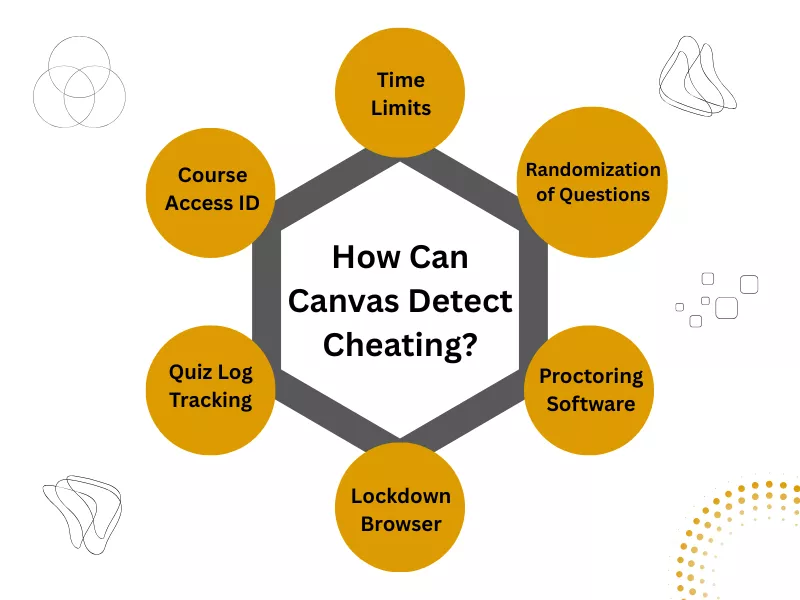
How Can Canvas Detect Cheating?
Canvas LMS is a web-based, cloud-hosted learning management system (LMS). It is developed by Instructure, which provides US educational institutions with tools to streamline teaching and learning by offering online courses and managing virtual learning environments.
In short, the canvas serves as a central platform for instructors to create, organize, and deliver self-paced course content, while enabling students to access study materials, submit assignments, track their progress, and communicate with teachers.
Since most instructors use Canvas to administer quizzes and tests, Canvas helps prevent cheating to maintain academic integrity. As already mentioned, Canvas can detect cheating. Therefore, let’s learn how Canvas can detect cheating:
Time Limits
One of the salient features of Canvas is the time limit. Canvas quizzes and tests are timed. Evidently, if you search for answers online, Canvas tracks cheating by checking how much time you invest in each question. While you might attempt to get answers, you must be prompt.
Course Access ID
To prevent unauthorized access, Canvas utilizes multi-factor biometric authentication. Therefore, if you pay someone to take your online tests, Canvas will detect cheating. Consequently, it is not only difficult to cheat on Canvas but also nearly impossible because if caught, you might be suspended or your exam will be nullified!
Quiz Log Tracking
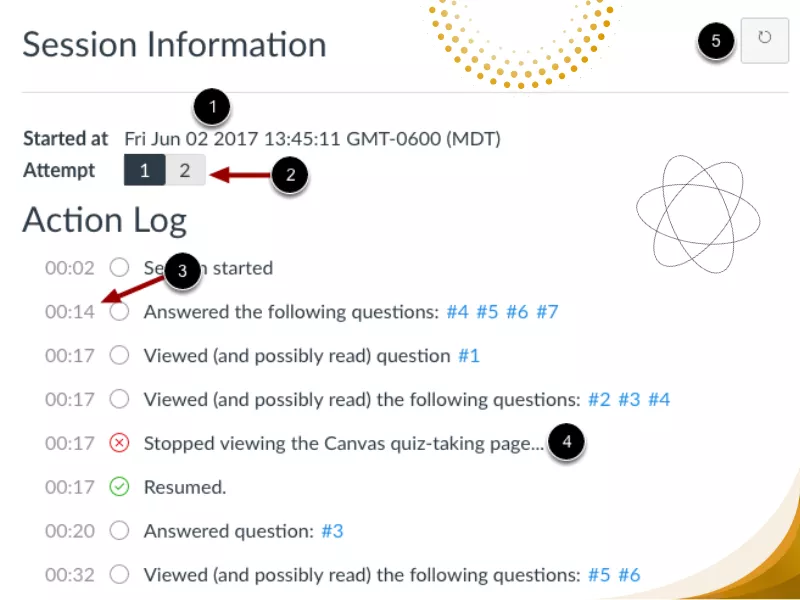
One of the most famous is Canvas quiz log cheating. While most think Canvas quiz cheating is easy because most do not use proctoring software, here’s the catch: Canvas quizzes come with a quiz log. Quiz log is one such software that checks when you started, left, or rejoined the quiz. Canvas uses a quiz log to prevent cheating by constantly monitoring your movement.
Lockdown Browser
Canvas cheating gets more difficult with the use of LockDown Browser. Canvas locks the entire web browser, prohibiting you from screen sharing and leaving the quiz or test until you hit the submit button.
- Modified Toolbar – This custom browser condenses the toolbar, and only the Back, Forward, Refresh, and Stop buttons are functional.
- Assessment Mode – This web browser prohibits resizing, minimizing, or exiting the full-screen assessment until it is submitted for grading.
- Disabled Controls – All keystroke combinations, printing, screenshot, and function keys are disabled.
- Blocked Features and Applications – It removes the Start button (Windows), system tray, and menu bars. You cannot capture the screen, send a message, or share the screen. Even the network monitoring apps are blocked.
With all this in place, the canvas cheating online test becomes quite challenging. However, some do try to cheat on Canvas without considering the consequences, as the LockDown browser does not use a camera to track cheating. However, the quiz log and time limit are still in place. Therefore, working around the system and cheat might not be a great idea!
Proctoring Software
For those thinking, how can Canvas detect cheating on tests? Canvas uses proctoring software to track your movement during exams, utilizing a camera and microphone. With the third-party proctoring software, Canvas records:
- Audio, Video, & Screen
- Student’s browser activity
- The room or testing environment
Overall, Canvas uses proctoring software to detect any suspicious activity and collaboration. Therefore, even the best ways to cheat on Canvas can help you. The system flags every suspicious activity, and the instructor reviews the recording later to make a decision accordingly.
Randomization of Questions
For those thinking of cheating on Canvas using answer keys, there’s some news for you all. Canvas uses randomized questions, so no two students get the same questions. The reason is that it is powered by an adaptive AI mechanism, which ensures you get the course that is at par with your knowledge. Thus, it is not difficult to detect cheating on Canvas when a student answers consecutive wrong questions. Furthermore, teachers can also ask for a solution file, so if you fail to provide the solution file, you might lose grades. The difficulty of navigating these security features varies by platform; for instance, a Canvas vs Blackboard vs McGraw-Hill analysis shows that Blackboard’s complex nested menus can make managing these randomized settings more cumbersome for both students and instructors.
Now, what do you think? Is it possible to cheat on Canvas without getting flagged? Well, it is possible, just as it is possible to cheat on Socrative! However, cheating can significantly impact your academic performance in Canvas, Blackboard, and Socrative. Read on, as we do not make fake promises, because we have also listed a few situations when Canvas cannot detect cheating.
When Canvas Can’t Detect Cheating?
While it may be surprising, Canvas also has its limitations. To begin with, Canvas cannot detect cheating in certain situations, especially when activities occur outside its monitored environment or its advanced security features are not enabled.
For instance:
- When students use an external device to search for answers, Canvas cannot technically detect a phone.
- Suppose proctoring tools and LockDown browsers are not required. Furthermore, the LockDown browser cannot detect when a phone or tablet is used because it does not involve a camera.
- When activities happen offline or outside of the Canvas environment.
- When documents are prepared in advance and used discreetly outside Canvas.
Therefore, these limitations mean that Canvas or Blackboard detect cheating only when they are using proctoring software, LockDown browser, and in the strict quiz settings. Now, let’s understand the next most essential question: Canvas Plagiarism Detection.
How Does Canvas Detect Plagiarism?
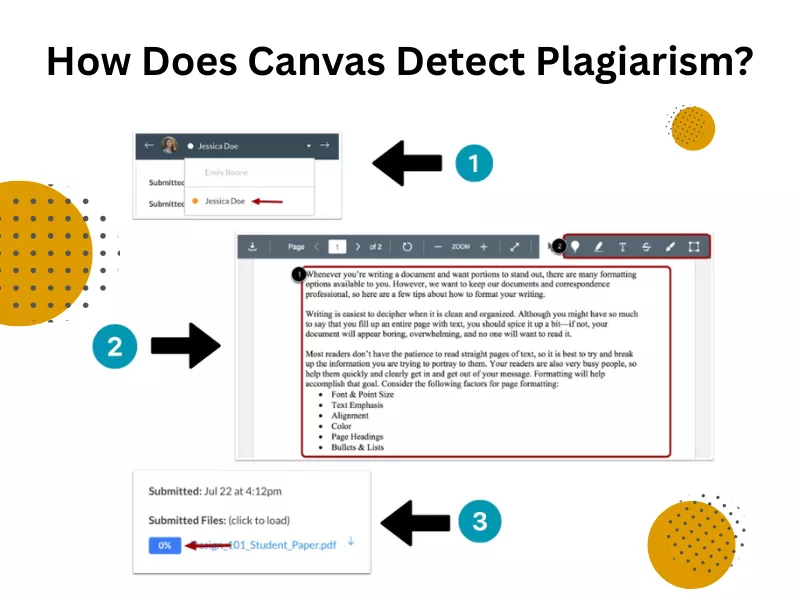
Just as Canvas utilizes third-party software to prevent cheating, Canvas employs Turnitin, Copyleaks, and Compilatio, which aid in detecting plagiarism.
So, now let’s understand how this software helps detect plagiarism. Once you submit an assignment to the platform, these integrated tools then compare the submitted content against extensive databases, including websites, academic journals, essays, and sometimes even code repositories, to identify similarities or copied content.
This detection process operates through Learning Tools Interoperability (LTI), a framework that allows external plagiarism detection solutions to work seamlessly within the Canvas environment. Furthermore, Turnitin plagiarism checker is one of the best software programs for detecting plagiarism, and it is typically only accessible to universities. Thus, you cannot check beforehand whether your assignment shows plagiarism or not.
Now that you know how can Canvas track cheating using quiz logs, do you still engage in cheating without being caught? Then let’s check out some tips.
How Students Cheat on Canvas Tests: The Risky Cheating Methods
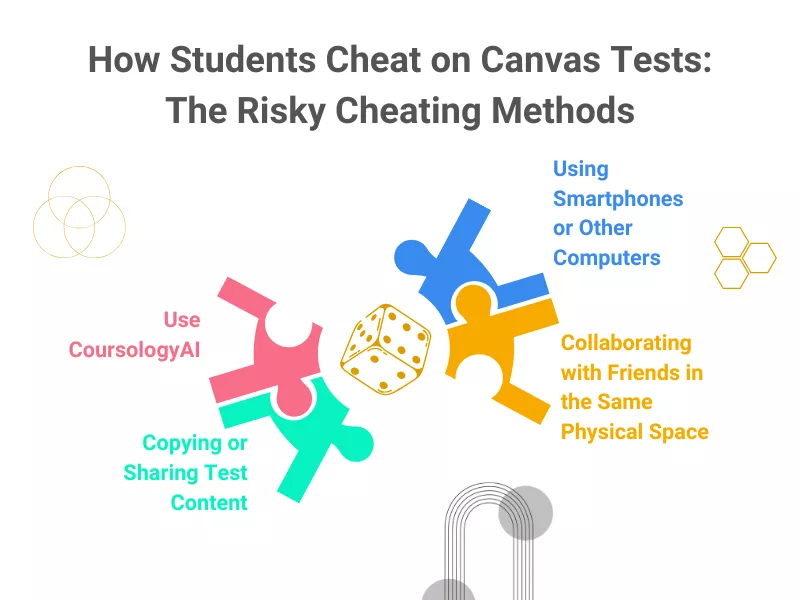
Students attempt various practical ways to cheat on Canvas without being caught. Though these are not less risky, here are some ideas:
Use CoursologyAI
This is an excellent trick many students use to cheat, and the system fails to catch exam takers cheating on Canvas! To get started, simply install the Coursology Chrome extension. This AI homework helper will answer questions without anyone being able to figure it out! Although it is awesome and solves all your problems, we hope you’re aware of AI hallucination.
Copying or Sharing Test Content
Whether you are willing to know how to cheat in Edgenuity or understand how Canvas methods of cheating work, copying or sharing test content through screenshots or messaging apps during or after the test. Even with numerous tools to detect cheating, Canvas often fails to track or prevent cheating when students share a screen. Furthermore, some cheat during a network failure (which is always staged).
Using Smartphones or Other Computers
Using smartphones or other computers to look up answers during unsupervised online tests. Since cheating can be detected only when proctoring software and lockdown browser are used, many cheat when the tests are not supervised. The phone is placed near the desktop or at eye level, and they search for answers online or using AI chatbots.
Collaborating with Friends in the Same Physical Space
Collaborating with others in the same physical space if remote proctoring is not in place. Just like you can form a study group, you can also form a cheat group. This way, you can share answers and discuss answers with friends. Many even prepare Word documents or unauthorized notes and access external resources outside the Canvas environment.
During the exam, they use the Alt+Tab key (for Windows) or the Command+Tab key (for MAC) to search for answers in the doc. Students switch to the Canvas tab, read the questions, and search for answers using Ctrl+F (for Windows) or Command+F (for Mac). Type the keywords from the questions and retrieve the answers.
Know How to Cheat on a Canvas Test and Quiz without Being Caught
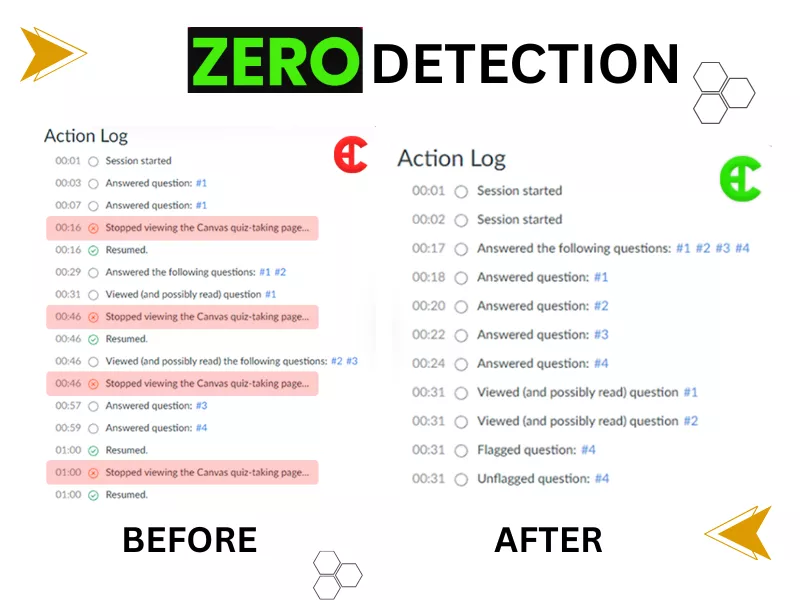
Suspicious activities are recorded as cheating. Thus, for students cheating on Canvas system, please be aware that this does not guarantee you will not be caught.
Tips to Cheat on Canvas Quiz
- You can utilize the 30-second window, commonly referred to as Canvas quiz log cheating. The canvas quiz log records you as inactive if you are so for more than 30 seconds. So, you can search for answers online and change to the Canvas tab in that time frame and still be fine.
- You can disconnect the WiFi and get answers using your phone or connect with an expert. However, you must complete it within 5 minutes. Additionally, if your instructor might perceive this as suspicious activity, you must have a good rapport with them before attempting this trick.
You can also use a custom browser. This browser allows you to connect with online class takers or friends to get answers. Though this makes cheating within Canvas seem like a walk in the park. This is all about technology, and it might fail you at any time.
How Does the Canvas Platform Detect AI?
Many students used to cheat on Canvas by copying and pasting answers from AI tools like ChatGPT and Gemini. However, Canvas has prepared itself to flag such misconduct. Directly copying and pasting content from ChatGPT to Canvas will be easily detected and flagged using Copyleaks and Turnitin. Copyleaks and Turnitin are able to detect AI-generated content.
Thus, if you feel you can use AI or cheat on Canvas without anyone noticing, then you are mistaken. Just like cheating, Canvas assessments can help prevent and detect plagiarism and AI-generated content. Thus, writing your own assignment is the best!
Conclusion
Although Canvas can detect cheating to a certain extent, it can be bypassed. However, cheating is never the solution or a good option. You can only get good grades by studying diligently. Whether you try to be inactive on Canvas for a longer time or cut the internet wire, Canvas will always be prepared to deter students from cheating. Therefore, forget cheating by locking eyes with friends or sharing screens, start your e-learning journey with a newfound motivation.
Frequently Asked Questions
Can Canvas Detect Plagiarism?
Yes! Canvas can detect plagiarism using Turnitin, Copyleaks, and other third-party software.
Does Canvas Record Your Screen?
Yes! Canvas utilizes third-party proctoring software to prevent exam cheating and records both your screen and audio.
Can Canvas Detect Tab Switching?
Yes! Canvas can detect switching tabs only when it uses third-party proctoring software.
How Can Canvas Prevent Cheating?
It uses multiple ways to prevent cheating. From timed quizzes and quiz logs to randomized questions, proctoring software, and lockdown browsers, Canvas does not leave any stone unturned in detecting cheating. Canvas also detects cheating using access code ID to prevent unauthorized access.
Can Canvas Detect Copy and Paste?
Canvas automatically checks assignments for plagiarism. That being said, instructors utilize external tools, such as Turnitin or other plagiarism-checking software, that are integrated with Canvas. Canvas can evaluate each student’s submission for originality. If the software is not integrated, Canvas cannot detect plagiarism.
Can Canvas See If You Are Cheating?
Professors can access detailed student activity logs during quizzes, including the time spent on each question and whether students opened new tabs. This information helps them identify potential academic dishonesty or unusual patterns in responses. Therefore, if you think you can cheat on canvas and get good grades, you might be in the dream world!
Can You Get Caught Cheating on Canvas?
Yes! Of course! However, Canvas cannot itself flag cheating; it requires third-party software to do so.
What Plagiarism Checker Does Canvas Use?
Canvas uses Turnitin, CopyLeaks, or Compilatio to detect plagiarism.
Related Posts


Can Moodle Detect Cheating, AI, And Plagiarism In Online Learning?

Want To See My Profile — Check Now
- Labster Answers & Simulation Study Guide (Updated 2026) - January 31, 2026
- Edulastic Answers (Pear Assessment Answers) & Hacks: 2026 Guide - January 15, 2026
- How to Get Chegg for Free: 7 Ways to Get Chegg Answers - December 17, 2025

 ABOUT BUYONLINECLASS
 7,500+
 28K+
28K+